
Home » Help » Key Features » Create a task board in Rembrr MVA
October 13, 2025
Boards in Rembrr allow you to organize your personal or professional activities through tasks and events, similar to a smart calendar. You can create custom boards, add reminders, set frequency, integrate external services, and attach files. This article will guide you step by step to create your first board from your Android or iOS device.
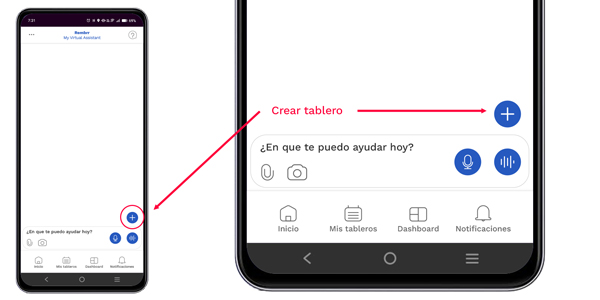
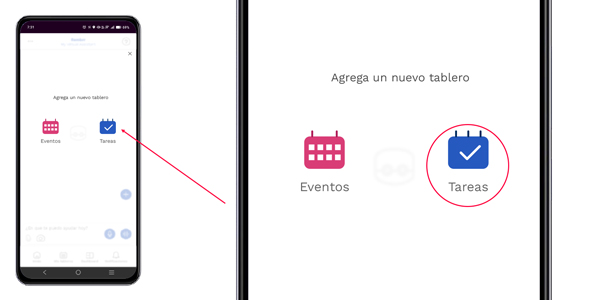
Select whether you want to create a board for:
Complete the following fields:
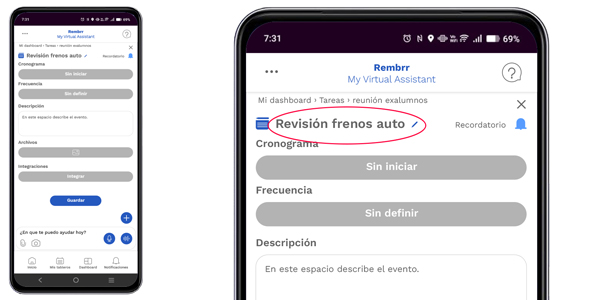
Assign a descriptive name to the board (for example, Car brake inspection).
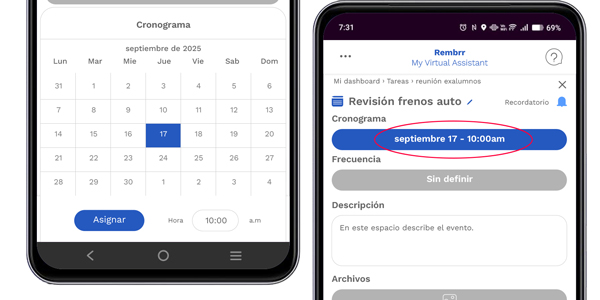
Select the date and time from the calendar
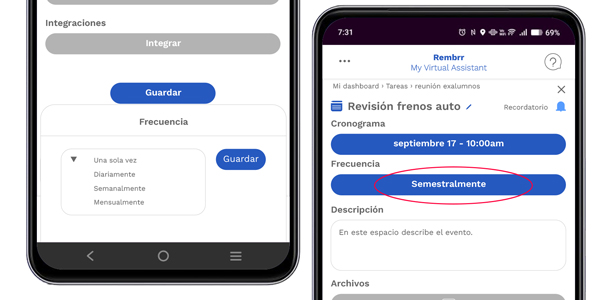
Choose whether the event or task repeats (one time, daily, weekly, monthly, semiannual, yearly).
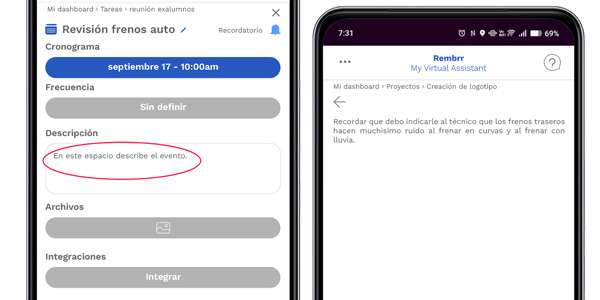
Add details or important notes by entering the text editing screen, and when finished tap the arrow to return.
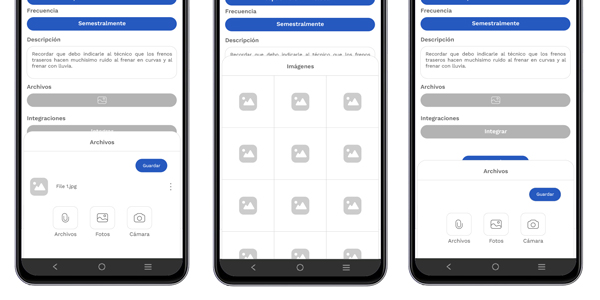
In “Files”, attach documents, images, or voice notes relevant to your task.
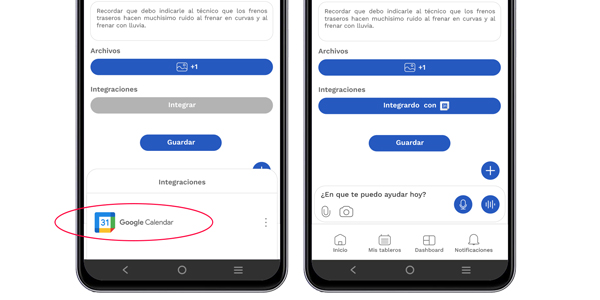
In the “Integrations” section, you can link services such as Google Calendar to synchronize your tasks.
Once the setup is complete, tap “Save”.
Your board will appear in the main view of My Boards, and you will be able to access it whenever you need to edit, review, or complete your tasks.
You can create multiple boards for different projects (for example: Work, Studies, Home). Você pode criar vários quadros para diferentes projetos (por exemplo: Trabalho, Estudos, Casa).
Usamos cookies para que REMBRR funcione correctamente y para mejorar tu experiencia. Algunas cookies son esenciales, mientras que otras nos ayudan a analizar el tráfico o personalizar contenido y marketing.
Puedes aceptar todas las cookies, rechazar las no esenciales o gestionar tus preferencias.
Fill out the following form and we will contact you shortly.
Fill out the following form and we will contact you shortly.
Fill out the following form and we will contact you shortly.
Fill out the following form and we will contact you shortly.
Fill out the following form and we will contact you shortly.
Fill out the following form and we will contact you shortly.
Fill out the following form and we will contact you shortly.
Fill out the following form and we will contact you shortly.