
Home » Help » Getting Started » Language & Voice
November 16, 2025
Rembrr automatically adapts to the language configured on your phone. However, if you prefer, you can change the app language directly from the settings menu. The language selected manually will always take priority, even if you change the device language.
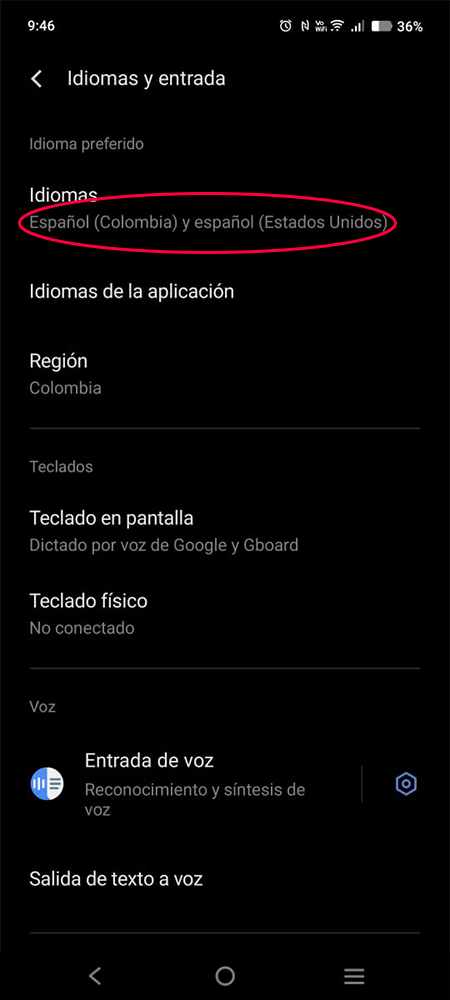
When you install and open Rembrr for the first time, the app automatically uses the language configured on your phone.
Examples:
If your phone is set to Spanish (Colombia), Rembrr will appear in Spanish (Colombia).
If it is set to English (United States), Rembrr will appear in English (United States).
This is the standard behavior of modern applications.
If you want to use another language, you can change it from the settings. Once you change it:
The entire app changes language immediately
The selection is saved
It will have priority over the device language
You can return to the system language whenever you want
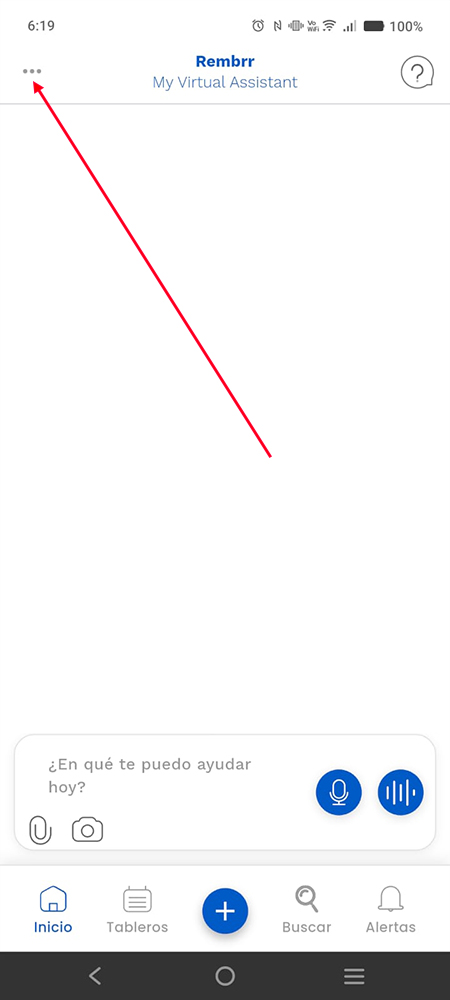
On the home screen, tap the three dots (…) icon located in the upper left corner.
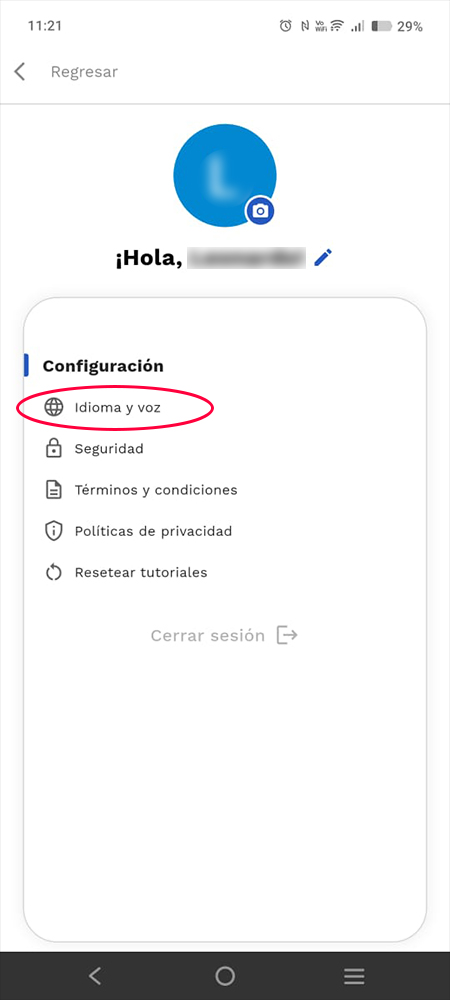
Inside the menu you will find this section to personalize your experience.
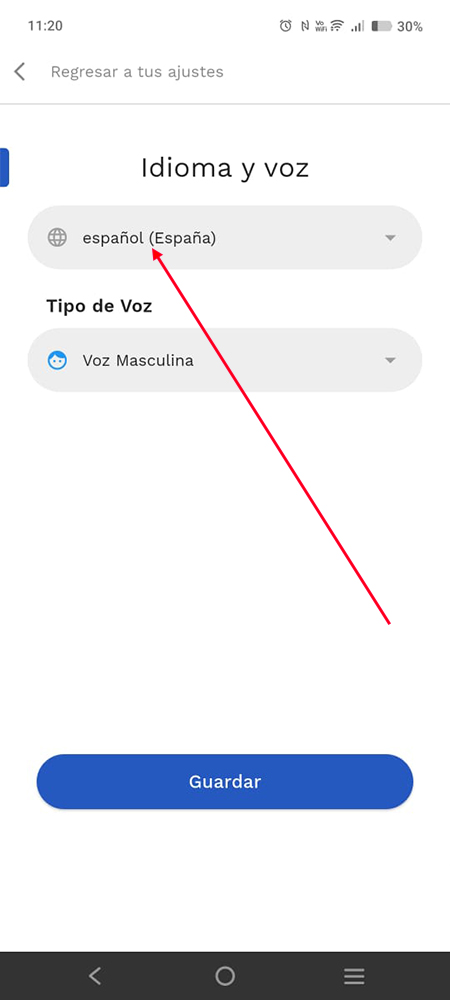
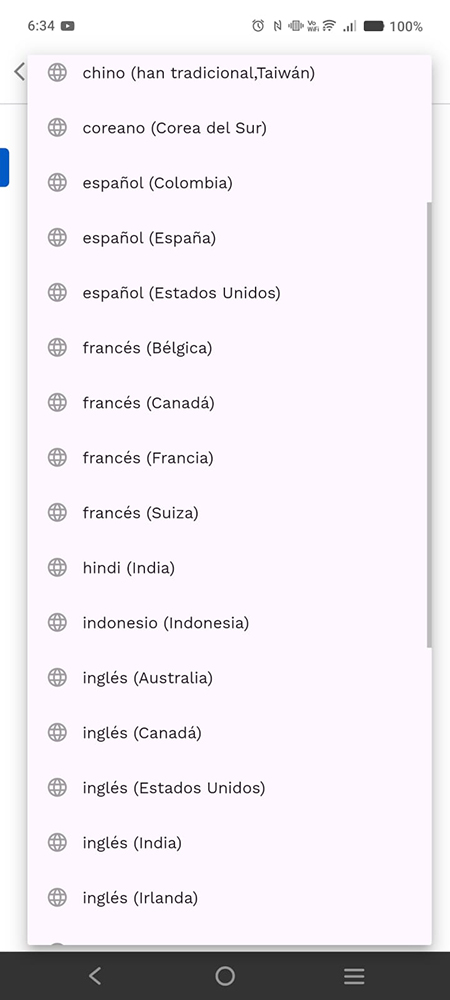
This will take you to the screen where you can choose the language you want to use.
Tap the dropdown selector to see the complete list. You will find:
Regional variants (Spanish Colombia, Spanish Spain, etc.)
Different countries by language
Asian, European languages and more
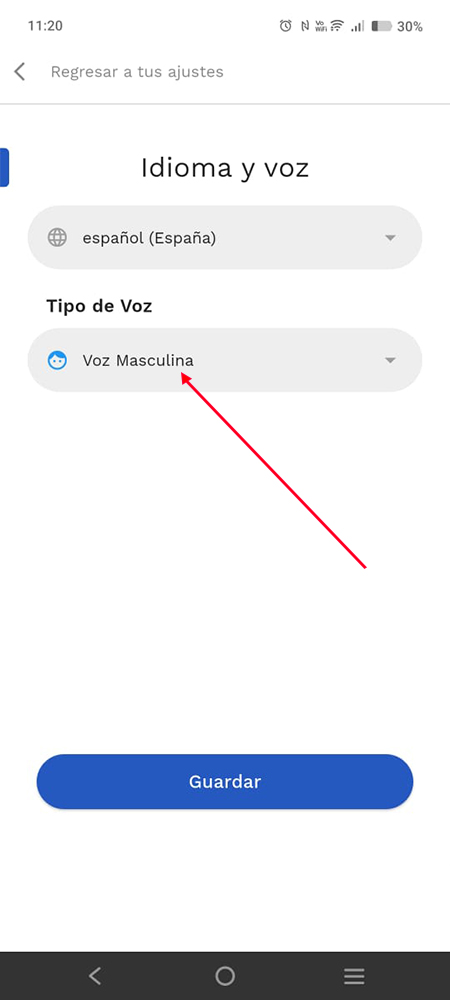
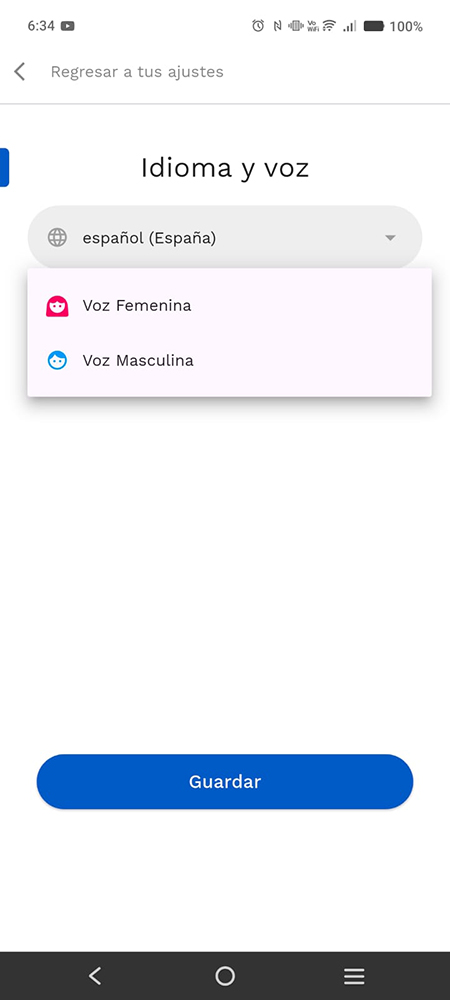
Tap the selector in Voice Type. In the dropdown menu you will find two options:
Male voice
Después de seleccionar tu idioma y la voz, presiona el botón Save para aplicar los cambios.
The application will immediately switch to the selected language.
If you do not manually select a language, Rembrr will always use the phone's language.
You can change the language as many times as you want.
Your preference is saved even if you close the app.
If you uninstall and reinstall the app, it will use the system language again.
Usamos cookies para que REMBRR funcione correctamente y para mejorar tu experiencia. Algunas cookies son esenciales, mientras que otras nos ayudan a analizar el tráfico o personalizar contenido y marketing.
Puedes aceptar todas las cookies, rechazar las no esenciales o gestionar tus preferencias.
Fill out the following form and we will contact you shortly.
Fill out the following form and we will contact you shortly.
Fill out the following form and we will contact you shortly.
Fill out the following form and we will contact you shortly.
Fill out the following form and we will contact you shortly.
Fill out the following form and we will contact you shortly.
Fill out the following form and we will contact you shortly.
Fill out the following form and we will contact you shortly.