
Home » Help » Getting Started » Install Rembrr
October 12, 2025
In this article, you will learn how to download, install, and activate the Rembrr app on your mobile device. The app is available for Android and iOS and allows you to easily access your services, manage your subscriptions, and receive important notifications from anywhere.
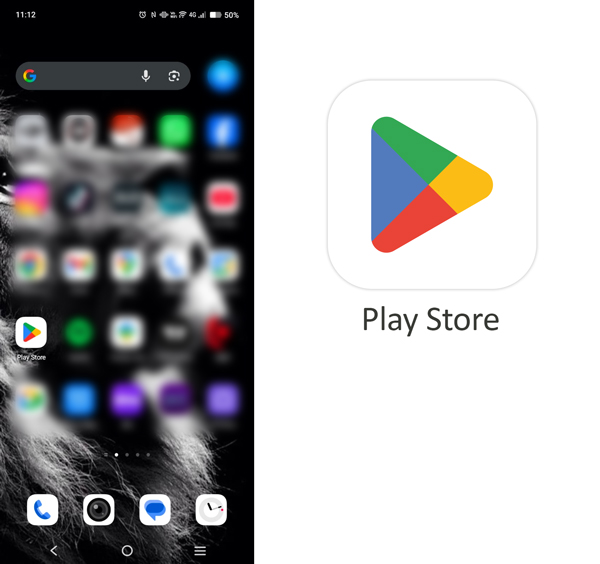
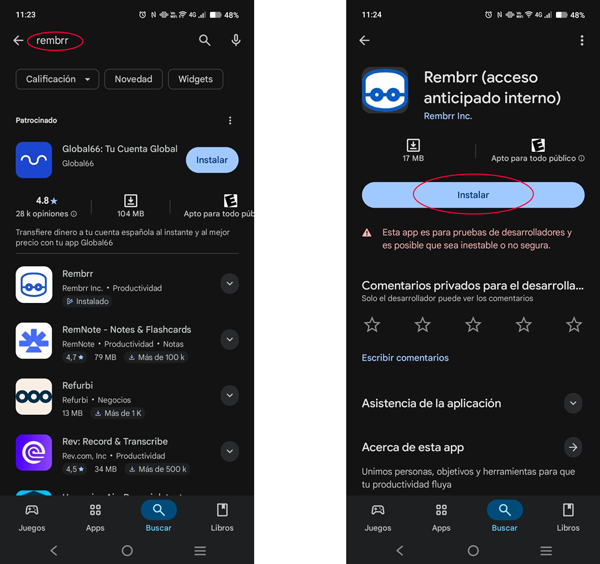
In the search bar, type “Rembrr” and select the official application developed by REMBRR INC.
Tap the Install button.
Once the installation is complete, open the app from the main menu.
On first launch, accept the terms and conditions and grant the necessary permissions (notifications, internet access, etc.).
Sign in with your registered email or select “Create account” if you are a new user.
Note: If you cannot find the app, make sure your device meets the minimum Android version (recommended: Android 10 or later).
Open the App Store on your iPhone or iPad.
Tap the search icon and type “Rembrr”.
Select the official application and tap Get. Obtener.
Wait for the download and installation to complete.
Open the app, accept the terms and conditions, and enable notifications to receive alerts in real time.
Sign in with your existing account or create a new one.
Note: The app is compatible with devices running iOS 14 or later.
Usamos cookies para que REMBRR funcione correctamente y para mejorar tu experiencia. Algunas cookies son esenciales, mientras que otras nos ayudan a analizar el tráfico o personalizar contenido y marketing.
Puedes aceptar todas las cookies, rechazar las no esenciales o gestionar tus preferencias.
Fill out the following form and we will contact you shortly.
Fill out the following form and we will contact you shortly.
Fill out the following form and we will contact you shortly.
Fill out the following form and we will contact you shortly.
Fill out the following form and we will contact you shortly.
Fill out the following form and we will contact you shortly.
Fill out the following form and we will contact you shortly.
Fill out the following form and we will contact you shortly.