

5 things you can do with your voice without touching your phone
DescriptionIntegrating voice into your workflow allows you to manage your operational pillars without taking your hands off what truly matters.
Have you ever had a brilliant idea while driving, cooking, or exercising, only for it to vanish because you couldn't write it down at the moment? In a world that moves at the speed of light, the keyboard has become a bottleneck. True digital freedom isn't in your fingers, but in your voice. Imagine managing your entire day, from work tasks to personal commitments, without even unlocking your screen. It's not science fiction; it's the power of voice applied to efficiency. If you're looking for the best application to organize your work, it's time for you to learn how to speak to technology so it works for you.
H2) 1. The virtual voice assistant: Your new productivity copilot
Currently, the Voice virtual assistant It has ceased to be a basic consultation tool and has transformed into a professional execution engine. Speaking is up to three times faster than writing, allowing complex thoughts to be captured in seconds. This technology acts as a filter that removes the friction between your mind and your to-do list, enabling you to maintain workflow without visual interruptions or unnecessary distractions.
2. Voice Commands and Productivity: 5 Key Actions for Your Day
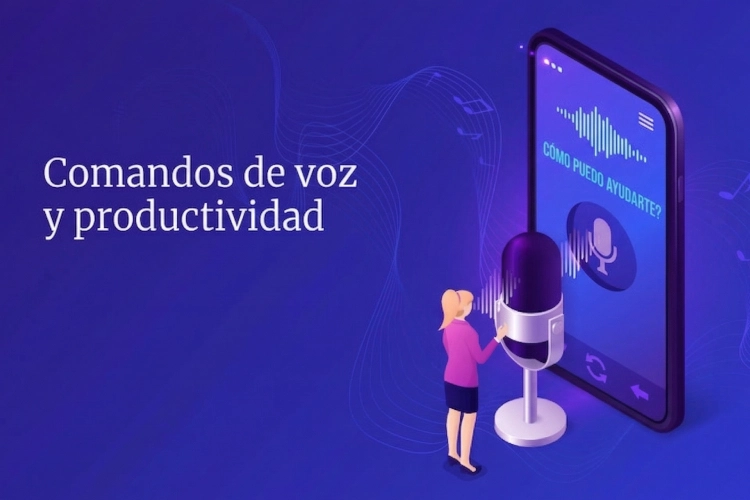
Transform your device into a smart command center: the future of professional organization is 100% hands-free.
To master your schedule without being glued to a screen, integrate these Voice commands and productivity in your routine. It's not just about giving orders, but about creating a system where your voice is the remote control to your professional success:
Instant idea capture
Dictate your thoughts the moment they arise so the system can organize them for you.
Meeting Management
Check and schedule appointments without looking at a calendar, optimizing your downtime.
Geolocated reminders
Create alerts that trigger when you arrive at specific locations, like the office or the supermarket.
Long message writing
Save valuable minutes by dictating emails with a more natural and fluid tone.
Task Closure
Update the status of your projects by simply saying the task has been completed.
3. Digital Education: Optimizing Communication with AI
It's not enough to talk; you need to know how to communicate with artificial intelligence. For your experience to be smooth, it's vital to use a clear structure. Virtual assistants respond best to direct action verbs like «Create,» «Send,» or «Note.» By being specific with project or person names, you reduce the need for subsequent manual corrections, achieving perfect synchrony between your voice and your professional organization system.
4. The impact of voice on workplace well-being
Delegating task memorization to voice drastically reduces cognitive load. When you stop trying to «remember everything» and start to «dictate everything,» your brain is freed from the stress of uncertainty. This is the new frontier of mental health at work: using technology to allow our minds to focus on creating, while voice handles the management.
5. The Step Towards a Frictionless Digital Life
Integrating voice into your daily life means deciding that your time is too valuable to waste typing on small screens. By mastering these tools, you regain the freedom to move without disconnecting from your goals. Less time looking down means more time looking ahead. Voice technology is no longer the future; it is the present for those who choose to lead their time with intelligence and order.
Fewer screens, more real results
Master the use of a Voice virtual assistant It's the first step to a more balanced life. By reducing screen time, you not only protect your vision, but you regain the ability to be present in the physical world while your digital environment stays in perfect order.
The voice revolution isn't the future, it's the present. By integrating voice commands and productivity In your day-to-day life, stop being a slave to notifications and become the architect of your own time. Are you ready to give your productivity a voice?
Frequently Asked Questions
How accurate is Spanish voice transcription currently?
The technology has achieved over 98% accuracy%. Current models understand idioms, technical contexts, and different regional accents, minimizing the writing errors we saw in previous versions.
2. How does a virtual voice assistant help reduce work stress?
Stress often comes from working memory overload. By using voice commands to offload tasks immediately, you free up mental space, which drastically reduces the anxiety of forgetting important commitments.
3. Is it safe to dictate confidential company information?
State-of-the-art platforms use bank-grade encryption. Your voice is processed to understand the command, but personal and professional data remain private and protected under strict international security protocols.
Can I use these commands if my hands are full or I'm wearing headphones?
It's your biggest advantage! It's designed precisely for environments where physical contact is impossible or inconvenient, such as during exercise or manual tasks. Noise-canceling headphones further improve dictation accuracy.
5. What technical requirements do I need to start using voice?
You just need an updated mobile device and a good application to organize your work. Most smartphones today process these commands locally with almost instantaneous speed.