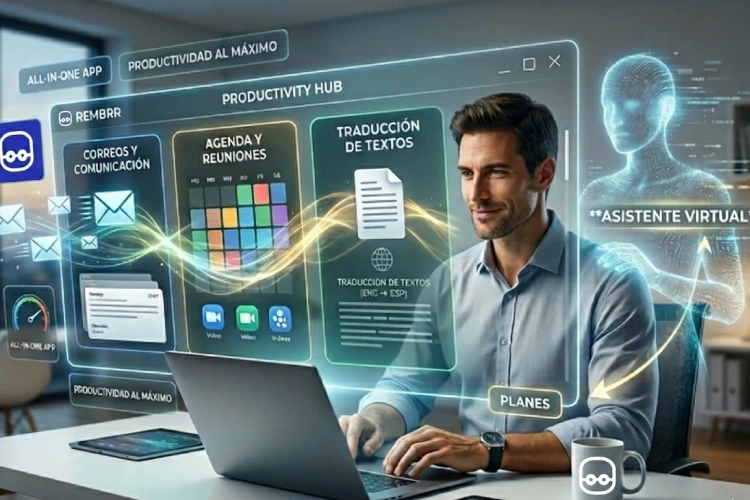
Have you ever felt like your productivity drains just by jumping between tabs? You open Gmail to reply to an email, jump to Google Calendar to confirm an appointment, then rush to DeepL or Google Translate because the client wrote to you in English, and you end up on WhatsApp trying to coordinate everything. By the end of the day, you've worked hard, but you've accomplished little. Digital fragmentation is the greatest enemy of the modern professional. But what if I told you there's a way to centralize the chaos? Imagine having complete control of your communication, schedule, and language translation without leaving the same interface. It's not a futuristic promise; it's the reality of working with a virtual assistant integrated that redefines what it means to be efficient.
The Era of Tab Fatigue: Why Do We Fragment Our Work?
The average worker switches applications or windows up to 1,100 times a day. This phenomenon, known as«context switching» context switching reduces productivityhttps://es.wikipedia.org/wiki/Productividad?utm_source=chatgpt.comproductivity by as much as 40%. Every time you switch away from your email to schedule a meeting, your brain needs several minutes to regain deep focus.
The hidden cost of multitasking
It's not just about lost time, but cognitive energy. Translating a technical text, drafting a professional response, and verifying it doesn't conflict with your afternoon schedule are three distinct mental processes. Doing them in three different applications increases the likelihood of human errors, such as scheduling an appointment at the wrong time or sending a translation with an inappropriate tone.
Centralization: The Key to All-in-One
The current trend in technology isn't about creating more apps, but about creating smarter ecosystems. A robust productivity app today must be able to connect the dots between communication and execution.
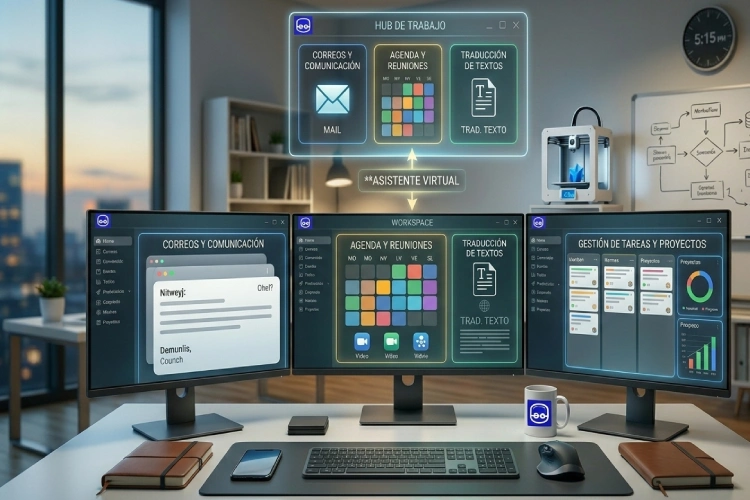
1. Contextual Intelligence Email Management
Sending an email isn't just about writing text. It's about understanding tone, urgency, and purpose. Built-in tools allow for drafting emails based on previous conversation threads and, most importantly, enable that communication to trigger immediate actions, like automatically creating a calendar event.
2. Smart Scheduling: Say goodbye to «rinse and repeat.»
«Can you Tuesday at 10?», «No, better Wednesday», «Wait, let me check my time zone.» This exchange is a waste of time. A centralized system allows you to share availability links or insert time slots directly into chat or email, syncing in real-time with your global calendar.
3. Fluid translation without copy-pasting
The language barrier shouldn't be an obstacle to the expansion of your business. By integrating translation engines within the same writing interface, you can communicate with clients in Brazil, the United States, or France with the same fluency as if you were speaking your native language, always maintaining professionalism.
How does a virtual assistant transform this experience?
This is where technology meets the human touch. While an app can centralize functions, a virtual assistant Act as the operational brain that handles these tools for you.
Delegate to scale
When you use a platform that integrates everything, you give your assistant the ability to be omnipresent in your workflow. They can:
- Read your inbox and notify you of new emails.
- Translate real-time information in many languages.
- Coordinate meetings with multiple participants by aligning all schedules.
Strategies to Master Your Productivity App
To make the most of an «all-in-one» solution, it is vital to follow certain organizational pillars:
Workflow Optimization
- One-touch rule: If an email can be replied to in under two minutes, the integrated app should allow you to do so and schedule follow-up immediately.
- Template automation: Save common responses for recurring emails, but let the assistant personalize them according to the client's context.
Security and Privacy
When centralizing sensitive data (emails and calendars), it is crucial to choose platforms that comply with international regulations. Efficiency should never compromise the security of your information or that of your clients.
Frequently Asked Questions
Do I really save time using just one app for everything?
Yes. Studies indicate that consolidating tools can save 30 to 60 minutes daily by eliminating context switching and the need to re-authenticate across different platforms.
Do I need to be a tech expert to use these tools?
No. Modern interfaces are designed to be intuitive. The learning curve is minimal compared to the benefit of having your entire office digital in one place.
How do I know if I need a virtual assistant or just an app?
An app is a tool; an assistant is an executor. If you have the tools but don't have the time to manage them, an assistant is the logical step to scale your personal productivity.
Is machine translation reliable in these applications?
Currently, integrations with advanced language models provide translations with an accuracy rate exceeding 95%. However, for legal or critical documents, professional review is always recommended.
Conclusion: The future of work is simple
Complexity is the enemy of growth. Sending emails, scheduling meetings, and breaking down language barriers from a single application is not just a luxury; it's a competitive necessity in 2026. By simplifying your tools, you free up mental space for what truly matters: creating, innovating, and closing deals.
Are you ready to leave the chaos of multiple tabs behind? Explore how a virtual assistant It can become the engine that drives your daily life to a new level of professional efficiency.